
Flowhub TV menus that keep up with the register.
Change it once in Flowhub. Every screen in the store follows.
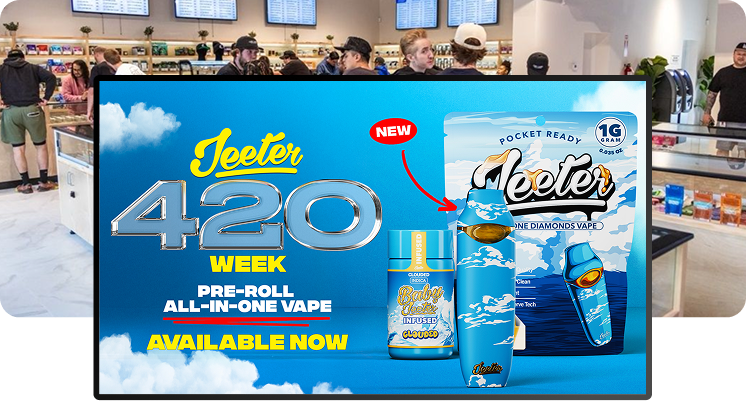
Seed is digital signage for Flowhub dispensaries. TV menus, self-service kiosks, queue boards, and promo screens read products, prices, stock status, and specials straight from Flowhub, so every screen in the store updates itself. Seed runs 6,500+ screens across 900+ dispensary storefronts in 36 states + DC.
WHAT SYNCS
What comes over from Flowhub.
Products, prices, stock status, and specials flow from Flowhub to every Seed screen. Menus update automatically from your POS throughout the day, with one-click manual sync. Sold-out items drop off on their own.
- Products — the menu is your live inventory, not last week's spreadsheet.
- Prices — change it in Flowhub once; every screen follows.
- Stock status — out-of-stock items drop off on their own.
- Specials — the deal you set at the register is the deal the room sees.
GETTING LIVE
Connected once. In sync from then on.
- Connect your Flowhub account in Seed Manager. One-time setup, and we walk you through it.
- Map your menus. Pick what each screen shows — full menu behind the counter, specials up front, whatever fits your room.
- Screens stay in sync. From then on Flowhub drives the wall: products, prices, stock, and specials update automatically. Most stores are live in about two weeks.
EVERY SCREEN IN THE STORE
One Flowhub connection, whole room.
TV menu signage
Menu walls that read from Flowhub. Prices, stock status, and specials update themselves.
Learn more →Self-service kiosks
Seed Touch kiosks on the same live feed. White-label, and checkout asks for first name, last name, and phone number.
Learn more →TV queue board
Put the line on screen: next up and order ready.
Learn more →Specials and promos
The deal you set in Flowhub is the deal on every screen. Feature it bigger with Seed campaign tools.
Learn more →How the sync layer works and what updates: POS sync.
Flowhub questions, answered
What digital signage works with Flowhub?
Does Seed work with Flowhub?
What syncs from Flowhub?
How fast do menus update from Flowhub?
Do Seed kiosks work with Flowhub?
Can I show the deals I run in Flowhub?
Do I need to buy new TVs or special hardware?
How long does it take to go live?
Does Seed cost extra per screen?
The best operators in cannabis run on Seed.